Navigation
Discover how to navigate within Maintenance Connection.
Page layout
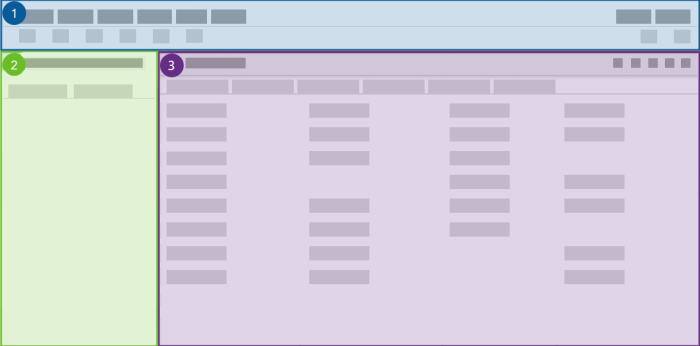
The Maintenance Connection application is divided into three general areas.
-
At the top of the page, perform operations on the page contents such as changing your view settings, selecting a language, or opening a module using the menu bar and toolbar commands.
-
On the left side of the page, in the list pane, select records such as work orders, assets, or inventory items to work with. You can also filter or search for the records.
-
On the right side of the page, the work center provides details about a record when you select it.
CRUE AI assistant
Click Ask CRUE in the upper-right corner to get quick answers to product questions. It summarizes our help content and provides links to additional references.
Resource center
Click Help in the upper-right corner to access the Resource center, which includes:
-
Announcements: Stay updated with the latest announcements.
-
Guides and trainings: Learn the basics with system tours.
-
User Guide: Explore topics in the user guide.
-
Resources: Discover materials to enhance your skills in Maintenance Connection.